Showing posts with label luxembourg. Show all posts

Thursday, March 28, 2013

How to: Create Cool Looking Grunge Style Pics


Camera Apps:
Hipstamatic with Helga Viking lens + C-Type Plate film
PureShot

Additional Apps used for post processing:
SnapSeed - for most of the work
PhotoToaster - for the vignetting of the PureShot pics
A+Signature - for the copyright watermark. This great app has a really cool feature that helps you to adjust multiple items added to your picture. For instance, to add copyright watermarks to all of the photos included in the collage shown above, A+Signature provides lines to snap the next item to in case you're adding multiple copyright watermarks. The items don't only line up horizontally but there's also a vertical help line appearing when you're adding items. I thought about adding one bigger copyright watermark spanning over all of the six pictures but then I decided to add a watermark to each of the pics. The snap line feature helped me a lot to align my watermarks correctly.

Ok, so here's the trick to create cool looking grunge style pics quickly. What you need is a Hipstamatic grunge combo, like the Helga Viking lens + C-Type Plate film. Then load your Hipsta photo into SnapSeed and chose TUNE IMAGE, then AMBIANCE. Pull the scale 100% to the right, then tap APPLY. Now chose DETAILS and STRUCTURE. Again pull the scale 100% to the right. Do you see the picture details coming out nicely, including the grunge effects of the Hipstamatic combo? Tap APPLY again. Then chose GRUNGE! Maybe the first given result will satisfy you. If it doesn't you can tap the crossing arrows on the left of the scale until you find a result that you like. Alternatively you can move the scale by wiping with your finger across the screen horizontally. Also you can change the texture by tapping one of the four included textures again and again until you like the result. When you put your finger on the screen and move it vertically, you get access to STYLE, BRIGHTNESS, CONTRAST, TEXTURE STRENGTH and SATURATION. I used a setting of about 25 for most of the values in all of my pics. Don't forget to tap APPLY when you're done, then SAVE your work. Alternately you can add a FRAME. Unfortunately SnapSeed doesn't include a vignette filter so I use PhotoToaster for that. Oh and if you're not satisfied with the HDR effects after applying AMBIANCE  nd STRUCTURE you may repeat this again and again if you like. To give you an example of the AMBIANCE + STRUCTURE + GRUNGE effects that SnapSeed proposed here's an sample image from SnapSeed:


I did nothing else but applying AMBIANCE and STRUCTURE 100%, then I was chosing GRUNGE and I saved the picture with the first proposed result. Nice, isn't it?

What comes now are the single pics that I did after the procedure explained above. It's very easy and it's quickly done. The result speaks for itself, doesn't it? I'm a professional locomotive engineer. Two days ago I was asked to transfer engine #2217 from the workshops back to the railroad yard, but works on the engines hadn't been finished as I arrived so I had to walk back to the railroad yard, hence I took that chance to shoot some pics.


Pictures based on Hipstamatic photos:


Pictures based on PureShot photos:


                     __________________________________________________________

Friday, March 15, 2013

It's snowing again!


Camera App: PureShot

Additional apps used for post processing:
SnapSeed
TouchRetouchHD
SnowDazeHD 
Blender
A+Signature


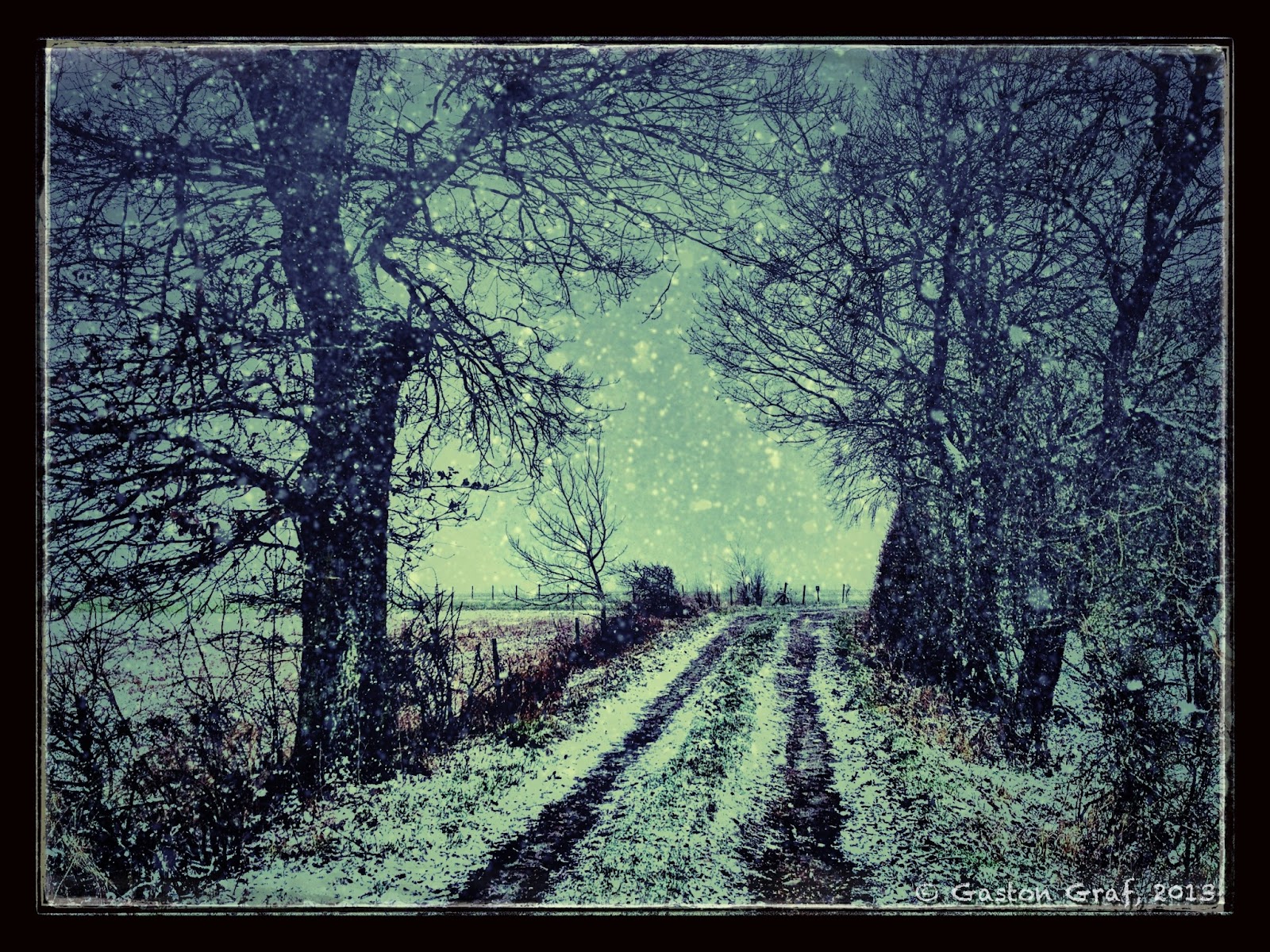
Four days ago it started snowing again as I went out for a walk with our dog. It was snowing for about 24 hours, causing chaos on the roads again. I believed Winter was finally fading away but I was wrong. Winter was striking back at it's worst. 3-8" of snow was enough to raise hell again in Europe. Especially in northern France and Germany many traffic accidents happened, people got injured, people died.... I took the photo for this picture as snow had just started to fall again. Buddy, our dog, loves snow! It's a nice region where we live. From our house it's only a 10min walk to get into the woods. After snowfall finally stopped, the temperatures dropped down to as cold as -17°C (1.4°F) at night. Now Buddy loves it to run around like mad in the meadows, snapping at the snow and rolling in it. So at least some dogs are happy about the snow. I'm not! I hate snow because it makes roads dangerous and prevents me from riding my bike...

I edited the original PureShot photo with SnapSeed, TouchRetouchHD, SnowDazeHD and Blender. The true snow flakes in the photo turned out black in the center of the picture so I removed them with Touch Retouch. Then I added artificial snow in SnowDazeHD. SnowDaze is one of the brilliant apps made by JixiPix. All of their art apps are highly recommended. 


This is the original PureShot photo, a little underexposed because I could only point and shoot as there was a  crazy dog on the other end of the leach that I had to hold. I like the photo nevertheless because it shows the natural light of that moment quite well. 


This was the stage saved in SnapSeed after applying "Ambience" and "Structure" filters. For "Ambience", tap on "Tune Image", touch the screen so the menu appears, and move your finger up to activate "Ambience". I applied the filter at 100%. For "Structure", go to "Details", and choose "Structure" from the menu. You must be careful with this because it will make a noisy picture even noisier but if there's no noise you can usually pull the slider to 100%. "Ambience" in combination with "Details" and/or "Drama" gives a better HDR effect than most HDR apps can do. Before I decided to use SnapSeed for it I also tried iCameraHDR, ProHDR and even Mobile HDR, but none of the results looked as good as the result from SnapSeed did. What is important in this picture are the dark snowflakes. Like an HDR effect enhances noise it also enhances small details but in this case the natural snowflakes didn't look good so I decided to load the picture in TouchRetouchHD to remove them from the center, where they were most visible.


This is the result after removing the snowflakes in TouchRetouchHD. It as a simple task to mask them off with the brush tool.


With the natural snowflakes now gone I was ready to add artificial snowflakes in SnowDazeHD. I created two versions with identical settings with the exception of the snow effect where I used two different settings. Then I was blending both versions in Blender to mix the snowflakes. Settings was Normal blending mode with slider to 65% to let some snowflakes appear a bit more faded than the other which gave the effect a more natural look.


After the snow was added I re-opened the picture in SnapSeed to play around with it. This is a black and white version whee I applied a red filter. I tried other filters too indeed but the red filter looked best. In then I was most happy with vintage effect #9 plus frame #19. If you tap the crossed arrows on a chosen frame, the frame changes. That's a clever way to include more variations for a single frame design. The same applies to any effect where the crossed arrows appear. I did two versions with frame #19 to blend them in Blender because I wanted a more even frame. Blending settings was normal blending mode 50/50 = slider in the middle.


This is the first result from Blender after blending both frame versions to obtain a more even frame.

To create a very unique frame for my picture I flattened my layers by touching and holding my finger in the center of the screen in Blender until the menu appeared to chose the "flatten" option from. The flattened picture then appears down left in Blender. I opened the SnapSeed version with the retro effect but without frame on the right side. Now I painted the mask to let the outer part of the unframed picture shine through the black frame. After applying the mask I adjusted the level of transparency of the black frame by pulling the slider to 65%. Copyright watermark was added in A+Signature.


The finished picture.

--------------------------------------------------------------------------

Thursday, March 14, 2013

The Leaning Tower...


Camera App:
6x7 (for the main picture)
Hipstamatic + Jane lens + C-Type film (for the Hipstamatic print)
                   

Additional Apps used for post processing:
SnapSeed
iCameraHDR
Pixlr Express+
Blender
TitleFX
A+Signature

This is the redneck edition of that famous Leaning Tower, but unlike it's famous brother from Pisa in Italy, this one is located in a tiny village in Luxembourg, where I live. It's a silo. I live in this place now since 19 years and I always wanted to photograph that leaning silo because I believed one day it will collapse, but still it's standing. However, I don't know since when it is standing that way and nobody can say if it will survive the next thunderstorm, or not.
The original photo was made with jag.gr's brilliant app 6x7. I worked it into this b/w picture with SnapSeed, iCameraHDR and Blender. The frame was added in Pixlr Express+ and the copyright watermark was added in TitleFX, which is a new app made by the same team that made already PhotoToaster.
TitleFX is a really cool app to add effects to your letters but it lacks a bit of the comfort A+Signature provides. For instance, in A+Signature you can save your own creations in a catalog but in TitleFX you can't so you'll have to type in your copyright info every time you load a photo. If you want to add the same text to multiple photos it's best to copy it after typing it in the first time and paste it into the other photos.


The Hipstamatic edition was also pimped a bit in SnapSeed. SnapSeed is a must have app if you want to get more out of your photos.

---------------------------------------------------------------------


Saturday, October 6, 2012

How to: correct the iPhone lens distortion...


Camera App: 645pro with F4 b/w film and 645 format.
Location: Luxembourg Main Station, the new sidearm with the modern glass roof in front of the old station building. I took this photo late in the evening, as the station was deserted.

Additional apps used for post processing:
Frontview: to correct the lens distortion. The photos below show you how I did it.
Photo fx Ultra: for cropping and contrast.
PhotoForge2: for a slight re-sharpening.
Pixlromatic: for the frame.
A+Signature: for the copytight watermarks.


This is the original photo as taken with the 645pro. You can see clearly that even if you align one side to the camera grid (left) the lines on the other side are oblique. To correct this I used a neat little app called "Frontview".


This is the Frontview screen after loading my picture....


The first reference point is set....


Second reference point top left...


Third reference point down right....


Fourth reference point set top right. Note that the points follow the lines that shall be straight after processing.


Now tap the arrow to process the picture...


Done!

After this operation completed, I saved my picture and I opened it in Photo fx Ultra for cropping and enhancing. Then I opened the newly saved version in PhotoForge2 for a slight re-sharpening, added the frame in Pixlromatic and the copyright watermark in A+Signature.

I hate it when I photograph a building and some lines appear oblique, no matter what I do. The happier I was as I discovered "Frontview". You cannot only take photos with it and correct them, you can also load photos made with other apps to be corrected.

~~~~~~~~~~~~~~~~~~~~~~~~~~~~~~~~~~~~~~~~


Wednesday, August 29, 2012

Doing HDRs with the 645pro (beta)


Camera App: 645pro beta

Other Apps used for post processing:
Mobile HDR - to create a HDR picture from 3 files. Most iOS HDR apps use only 2 files, one overexposed and one underexposed. Mobile HDR aims at creating HDR pictures from your bracket shots made with a DSLR. Because the 645pro currently offers the best picture quality available on the iPhone I wanted to see if Mobile HDR can be useful for photos made with the iPhone too. The answer is YES it can! But to create the files necessary for the HDR picture one must use some tricks because the 645pro offers no bracket mode shooting. So I did the following:
1) I used the 645pro film with the richest colors, which is the FC5 film.
2) I used the Neutral Density #1 filter with 100% efficiency. Currently that filter is only available in the actual beta version of the 645pro but that version is to be released soon. It runs rock stable and comes with a lot of improvements. So if you don't already have the 645pro on your iPhone I recommend you buying it. It's definitely the best camera app available, and it's a pleasure to work with it. 
The 645pro saves your photos in TIFF format as well as in JPG formt. The TIFFs are the RAW files, unprocessed, no film effects, no filters. Development of RAW photos shot with a DSLR is usually done in a so called "RAW converter" but no such app exists for the iOS devices so development is done in the 645pro itself, that's why it's called a dRAW file - a developed RAW file. The JPG file (of the same photo) is the photo with the configured effects applied, such as films and filters used.
3) In case of the old Diesel engine (above) I also created a black and white version in MonoPhix HD as well as an overexposed version in Laminar.
4) To create the HDR picture in Mobile HDR I used the black and white version created in MonoPhix HD, the JPG version from 645pro and the overexposed version made in Laminar. To create the overexposed picture I simply adjusted its curve by pulling it a bit outwards on a spot set in the middle of the line.

Here you see the original photos and the finished HDR picture

Screenshot from Laminar showing the adjusted curve 
to create an overexposed photo.


The black and white picture created from the TIFF file
using MonoPhix HD.


After importing the files into Mobile HDR the processing
 screen looked like this.


Here's yet another HDR picture created in a similar way than the picture on top of the page. In this case I created an underexposed version of the TIFF file to use with the set of 3 photos in Mobile HDR. Then I created a black and white version from the HDR picture in MonoPhix HD. I also tried Snapseed but I liked the result from MonoPhix HD more. Then I was opening the color HDR and the b/w HDR in Blender. The color version on the left side - the b/w version on the right side. Blending mode was "normal", with the slider set 25% to the left. This enhanced the colors and de-saturated the picture a bit at the same time.

As usual, a copyright watermark was added in A+Signature.

If you got questions please feel free to ask. You may also find me on Facebook. Just search for "quaffii" or "Gaston Graf".
~~~~~~~~~~~~~~~~~~~~~~~~~~~~~~~~~~~~~~~~~~~~~~~~~~~~~~~~~~


Wednesday, July 4, 2012

Causing Scandal


Camera App: 645pro

Additional Apps used for post processing:
Superimpose - to blend the b/w picture with the color picture in Multiply mode. I set the 645pro to picture format 645 and H5 b/w film as I took this photo. Like I have set it to save also the dRAW version of my photo I also got the colored RAW version in TIFF format. In Superimpose I was blending both versions, which enhanced color contrast nicely. Usually Picture Blender is my preferred app for blending, but in this case the result I got from Blender did not satisfy me. Also a disadvantage of Blender is that it cannot handle TIFF file format. But Superimpose can handle it so it was no problem to blend the colored sRAW TIFF with the b/w JPG.
SimplyHDR - I was loading using SimplyHDR to create two HDR versions from the blended result in Superimpose and the original b/w JPG file. I created two versions, a normal one and one with brightness and contrast sliders pulled fully to the left = 0. Then I was loading both versions in SimplyHDR again to create an HDR picture from it, which worked just fine.
Ripped HD - for the ripped frame.
A+Signature - for the copyright watermark

This morning at work as I was on the way to my vehicle, which was electrical railcar Z2201, I came along the old shed #2 where I discovered good old 1816, "decorated" with some shitty Graffiti. It looks good, in some way, but on the other hand I must say I hate it to see how respectless people disgrace such old engines that served us well for more than five decades. The first Diesel engine of the 1800 series got delivered to our railroad company in 1964. I drove that type too, from the early 1990s 'til the early 2000s. I must say I hated the noise of the V16 two-stroke Diesel engine sometimes, but on the other hand I also enjoyed hauling freight trains with it. Now, as there are only 3 engines of this type left running in active service and the official good-bye ride beeing made last week-end, the type will soon vanish from our railroad network forever. One will be kept for museum rides, but the remaining rest is meant to be sold to an country unknown to me. Donno what 1816 was at the workshops today. I did some interesting testing of the new ETCS train safety system today with Z2201. As soon as the remaining problems are solved, all of our Z2200 series railcars will be equipped with the modern European Train Control System ETCS.

Saturday, April 21, 2012

Alu-Chips!


Camera App: 645 pro

Additional Apps used for post processing:
Moku Hanga HD - for a Moku painting version
procreate + Nomad brush - to repaint parts of the picture because I wasn't fully satisfied with the outcome of the Moku painting. Procreate is really a brilliant app! I love it! Unfortunately it only supports up to 1920x1408 resolution and no 1:1 format but this isn't a problem. Just import your 1:1 basic photo and when you're done crop it back to 1:1 format in Squaready.
Squaready - for the cropping.
TouchRetouch HD - for some touchups.
Pixlromatic - for a special b/w effect.
Blender - I used Blender a lot to blend the b/w version with the color version quite a few times. The color version was a bit too brownish for my taste.
Camera+ - for the frame, which I cropped down to a smaller frame using Squaready.
A+Signature - for the usual copyright watermark.

In the former German Democratic Republic people used to refer to their coins as being "alu chips" because the 1, 5, 10, 50 Pfennig pieces as well as the 1 and 2 Mark pieces had been made of a lightweight alloy that sure contained a lot of aluminum. But not all coins had been made of that alloy. In my picture you can see a big 20 Mark coin as well as a reversed 5 Mark coin (Meißen) which had been made of a Nickel alloy. I still have a good hand full of GDR coins which are linked to some very special memories of mine because my beloved wife is from GDR. Back in 1985 GDR still existed. I lived there for 7 weeks after a long 5 1/2 month separation from her because the Commies didn't grant me a VISA anymore after she had filed in her official request to marry a foreigner (me). But luck was on our side and could marry the same year. December 24, 1985 I received the most wonderful Christmas gift of my life as my wife could leave GDR to move to Luxembourg where she arrived on December the 24th.

Monday, April 9, 2012

Madame, mir hun Iech gär!


Camera App: Hipstamatic with Melodie lens + Dream Canvas film
iPhone model: 4S
Accessories: Ollo Clip Wide Angle Lens

Apps used for post processing:
Moku HD - for the painting effect
VinstageScene - for the old photo effect
iPhoto - for fine tuning, repair and duo tone effect
PicGrunger - for the metal structure and metal frame
A+Signature - for the copyright watermark

I borrowed the title for this picture from Luxembourg's former Prime Minister Pierre Dupong, who welcomed our former Grand-Duchess Josephine Charlotte with the very same words on April 14th, 1945 as she finally returned from exile in Canada, where she spend the war time with the grand-ducal family. The words "Madame, mir hun Iech gär" translate as "Madam, we love you".

Through all of her life, the Grand-Duchess was extremely popular in Luxembourg. So is her son, Prince Jean, later Grand-Duke and father of the actual Grand-Duke Henry. He landed with the Irish Guards in Normandy June 11, 1944 and fought his way with that unit through to Belgium. He entered the City of Luxembourg on September 10, 1944 together with US troops. As soon as the population identified Prince Jean, they left the buildings and cellars where they sought shelter from the still ongoing fights between the Americans and retreating Germans. But as soon as Prince Jean stepped off a US military vehicle, the streets had been crowded with the cheering masses, giving him a very heartily welcome. It was an important moment for the moral of the population. Prince Jean was back home again, the Germans fled from our American liberators.... But still the war wasn't over as the Battle of the Bulge was yet to come in the hard Winter of 1944/45.

Grand-Duchess Charlotte was born January 23, 1896 and died July 9, 1985 at the age of 89.
I made the photo that served me for the creation of this picture last summer as I took the occasion for a photo walk through Luxembourg City while my motorbike was the garage for maintenance. It shows the Memorial of Grand-Duchess Charlotte with Notre Dame Cathedral in the background. The beautifully sculpted bronze statue stands at the "Place Clairefontaine", next to the Ministry of Foreign Affairs in the center of Luxembourg-City. Designed by the French artist Jean Cardot, it got inaugurated April 29, 1990, by the grand-ducal family in presence of Prime Minister Jacques Santer and other officials.

~~~~~~~~~~~~~~~~~~~~~~~~~~~~~~~~~~~~

Sunday, March 11, 2012

Mud Bike...


Camera App: iPhone standard app in HDR mode
iPhone Model: 4S

Additional Apps used for processing:

ProHDR - to create an enhanced version of the already saved HDR picture made with the iPhone camera app. I did the ProHDR version from the two photos the iPhone camera app saved.
SimplyHDR - to enhance the HDR picture further.
Photo fx Ultra - for the filters Polarizer, Fog, X-Ray. I did a black&white X-Ray version, not a blue one.
Blender - to blend the different versions I created with Photo fx Ultra.
Camera Awesome - for the frame.
A+Signature - for the copyright watermark.

Spring is finally coming, with more and more days to ride my bike again - yeah! But sometimes it happens you start your day on dry roads, ride to the place you meet your friends, ride up to Ed's High Chapparal bar for a drink, and when you come out the door again you discover it had rained the time you was inside. Because it had rained only slightly we decided to continue our journey nevertheless, but on the way to the old town of Echternach the roads became really wet. I did not rain anymore, but the water spray from our own bikes as well as from the cars on the roads covered us up in mud. Because my feet had already been soaked I did not put on my rain clothes anymore. Having arrived at home with sunset, the mud dried quickly but the bike was still too hot to wash it so I decided to clean it today. But before I started cleaning I made some photos of the dirty gas tank with the Harley Davidson logo on it. Today was really a nice day. Did only a 77.6km ride but that one was really big fun, making me feel really good.

Monday, February 20, 2012

At Last!


Camera: iPhone 4S
Camera App: Bracket Mode

Apps used for post processing:
Pro HDR - to create an HDR picture from the shots made with Bracket Mode
Photo fx Ultra - for most of the work. I don't remember all the steps I took to create this picture. I had been playing around with a bunch of apps, but in the end I found Photo fx Ultra provided me almost everything I needed.
FilterStorm Pro - to remove some noise in the sky as well as for some minor touch-ups using the clone tool.
Photo Toaster - for the frame.
A+Signature - for the copyright watermark.

After a long time of total abstinence I could finally ride again today - Yeah! The last time I danced with my big beautiful doll was on November 20, 2011, which means I had to wait for this moment exactly for three long months. What a pleasure to fire that baby up again, hearing the gnarling Big Twin again on low rpm, purring like a cat at 3000rpm, roaring like a beast beyond the 4000... But I rarely pushed it that far today. Weather was beautiful and sunny, but still it was cold, and still there are wet spots on the roads, especially where they pass in the shadow of buildings, hedges or the woods. Such places are to be passed with care because they can be slippery. Had no adherence problems though. I enjoyed a nice little 50 miles tour across country roads with a photo stop on the road between the villages of Schandel and Grosbous. How nice to hear the buzzards screaming in the air as I shot my photos, but even nicer was it to hear the cranes again! I heard them long before I saw them but then I spotted a huge flock of cranes flying north. They return, which means winter's on retreat, and I can ride again more often - Oh Yeah!

I did no photo shooting for weeks because the weather was so bad and today I wanted to finally play around with the Hipstamatic again but I got badly disappointed by it because it did not stop crashing after I shot only a few photos. So I dropped it to shoot my 1:1 format photos with the 6x6 camera app as well regular format photos with Bracket Mode. After I returned home I realized that the Hipstamatic hadn't finished the processing of my full film roll yet. It kept on crashing until I finally did a reboot of my iPhone. It's too sad - the more new updates with new lenses and films the Hipstamatic developer team releases, the more unstable the Hipstamatic becomes. I remember a time when I had much fun photographing with the Hipstamatic on my old iPhone 3GS. Less lenses, less films, rare crashes, but much fun!

At least I could make some photos with the new Hipsta pack Americana lens + US1776 film:


~~~~~~~~~~~~~~~~~~~~~~~~~~~~~~~~~~~~~~~~~~~~~~~~~~~~~~~~